
MX WORLD
MX WORLD Controls
MX WORLD uses familiar Roblox driving keys, but the bike is a balance toy as much as a racer. Learning throttle discipline on PC will carry to every race pad on the map.
On keyboard, hold W to accelerate and A/D to steer. Braking is the on-screen or bound brake — many players rebind it in Roblox Settings → Game Controls because the default is easy to miss while you are staring at a jump face. The camera starts in third person. Mouse wheel zooms; C cycles into first person, which helps on tight Hybrid Trail trees and hurts on big Ramp Circuit tables if you lose the horizon.
The hidden skill is not steering, it is how much W you hold. Creators who posted first-look footage called out that the rider stands up on the pegs at low speed, and that a Shift wheelie only stays up if you are not already at max speed. That is why this page sits next to the wheelie and flip lesson instead of dumping every trick into one chart.
| Action | PC default |
|---|---|
| Accelerate | W |
| Brake / reverse feel | Brake binding / on-screen brake |
| Steer | A / D |
| Wheelie | Shift + accelerate at moderate speed |
| Camera zoom | Mouse wheel |
| Toggle first person | C |
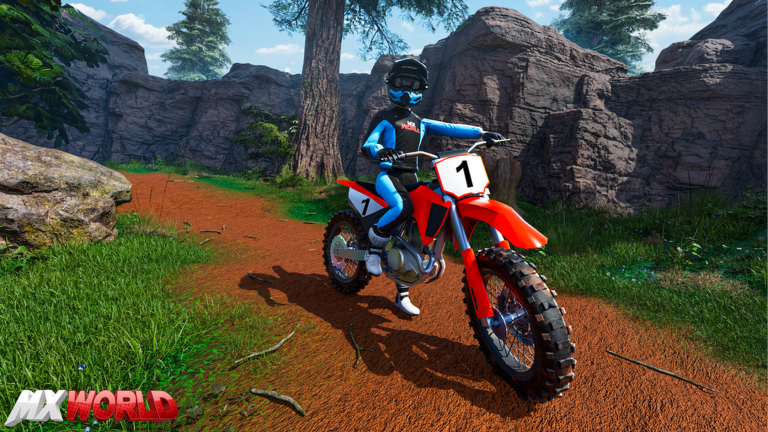
How the bike actually feels
Commenters on early sessions said physics have been retuned more than once. Whips that felt forced in the first public builds became easier after a later pass. If a year-old clip shows a dead whip, check the how to whip guide rather than copying the old habit of holding W through the lip. Letting off the gas in the air is the difference between a clean layout and a cartwheel into the next berm.
Burnouts exist: hold brake and the rear tire hunts. Useful for clips, expensive in a race. Front and back flips are rider-input tricks — on a gamepad that is pulling the stick down in the air, which feels like braking off a jump. Keyboard players mimic it with the brake/down binding. Practice those on the stunt park half pipe, not on lap one of Ramp Circuit.
Rebinding and lag
If Shift fights another screenshot tool, rebind wheelie in Roblox’s game controls panel. Lower graphics if input feels delayed — MX WORLD’s dirt and trees are cheap to look at and expensive on low-end integrated chips when twenty riders spray particles. Mobile and controller layouts are documented on mobile and console controls. Once the keys feel boring, graduate to track tips so the same throttle discipline applies on snow and rhythm.
Related in Controls
Keep riding
FAQ
- What is the wheelie button in MX WORLD?
- On PC, hold Shift while accelerating at a moderate speed. Too much speed drops the front wheel immediately.
- How do I go first person?
- Press C. Scroll the mouse wheel to zoom in third person without toggling.
- Can I rebind keys?
- Yes. Use Roblox Settings → Game Controls. This is the same panel for every experience.
- Why do I keep crashing after jumps?
- You are probably holding full throttle in the air. Let off, land rear wheel first, then roll back on W. Details are on the wheelie page.