
MX WORLD
MX WORLD Customization
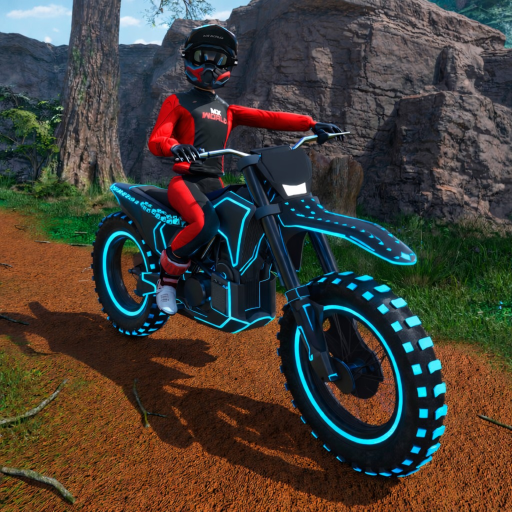
You can look expensive before you are. Free color is a drive-over. Motion and glow are the Robux layer.
Beside the vehicle bays, paintbrush studs sit on the ground. Drive over them to recolor the current bike and rider gear. Beginner guides from launch week already called this out with screenshots: no menu, no currency, instant apply. Swap the vehicle first if you want both frames painted — the studs edit what you are sitting on.
Paid layers live in gamepasses. Underglow (49 Robux) puts light under the chassis, which is why so many thumbnails look like night even at noon. Animated Wraps (49 Robux) make an existing wrap move. VIP bundles glowing wraps with the credit multiplier. None of these change the 84 mph on a maxed Surreal; they change whether the clip reads in a dark Discord embed.
A sane order to spend
- Paint the starter for free so you can find yourself in a crowded hub.
- Buy the Surreal Ultimate (or your first real dirt bike) with credits.
- Paint that bike.
- Add Underglow if you record clips.
- Add Animated Wraps if you already like a static wrap.
- Add VIP only if you are racing enough for the multiplier to matter.
Fictional brand decals rotate with updates. Screenshot a combo you love before a big patch; early-access style presets have been known to shuffle. For the chassis underneath the wrap, stay in the vehicles list and dirt bike guide. Looking fast is not the same as making Hybrid Trail’s bump.
Related in Items
Keep riding
FAQ
- Is MX WORLD customization free?
- Color via paintbrush studs is free. Glow, animated wraps, and VIP glow are Robux passes.
- Where are the paint studs?
- On the ground to the side of the vehicle selection bays near spawn.
- Do wraps make the bike faster?
- No. They are visual. Speed comes from the chassis and from your throttle.